
Search what's said in YouTube videos
Collect the transcripts of every video on a YouTube page, then jump to the exact second any word or phrase was spoken.
 Add to Chrome, it's free
FreeNo sign-upAny language
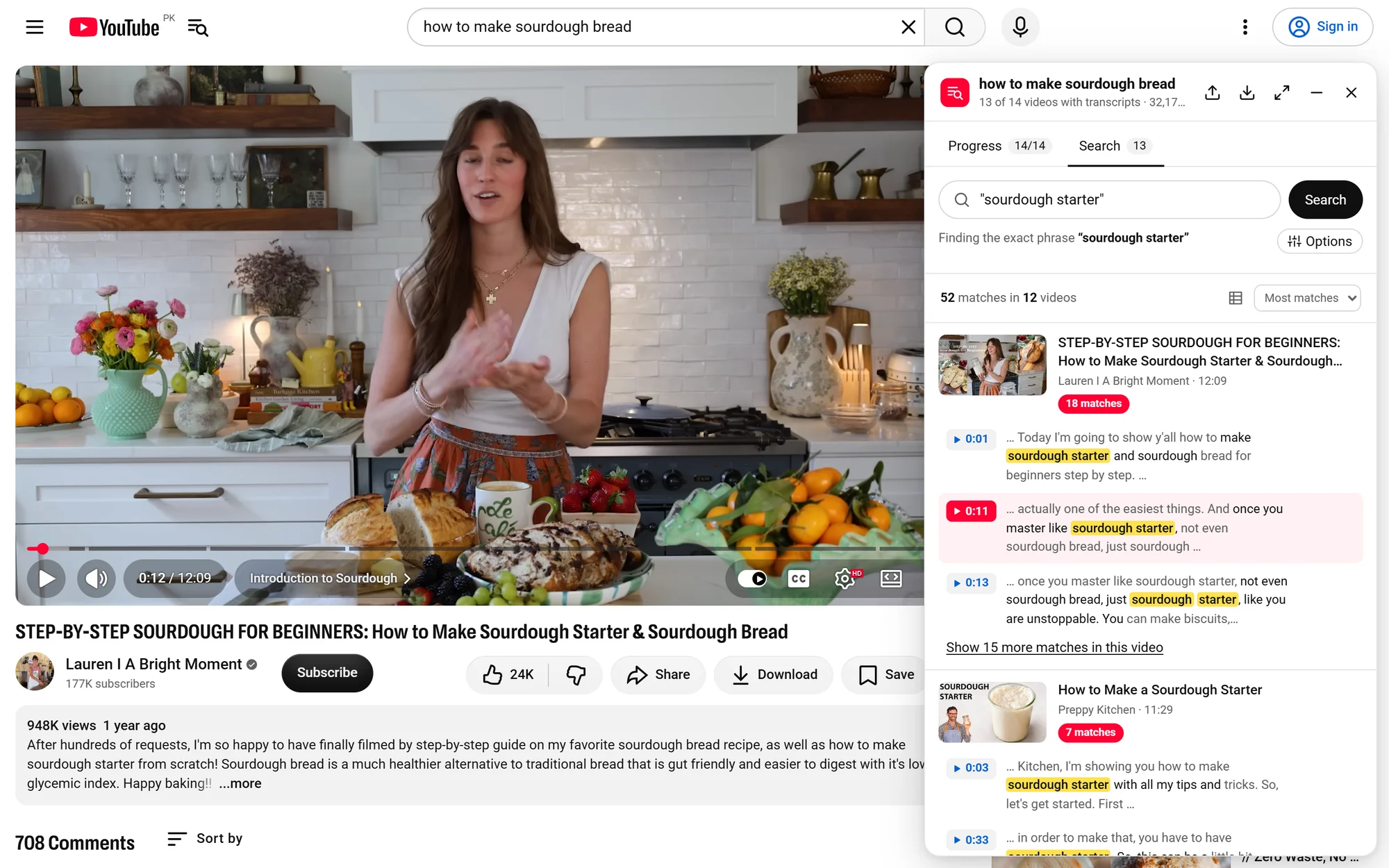
Example: searching sourdough videos for "sourdough starter". Video by Lauren | A Bright Moment.
How it works
No setup. It works on any YouTube search, channel or playlist.
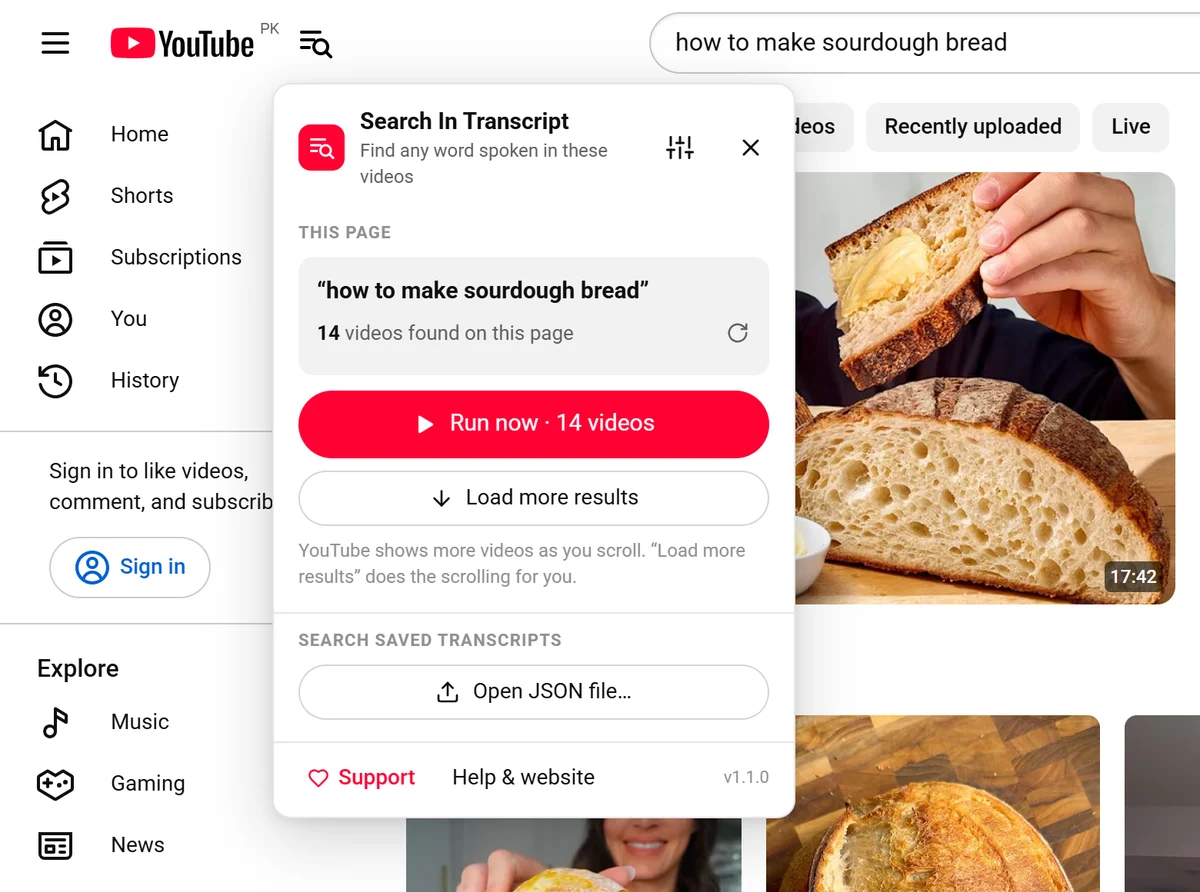
Search YouTube, click the icon
The icon sits right next to the YouTube logo. It counts every video on the page.
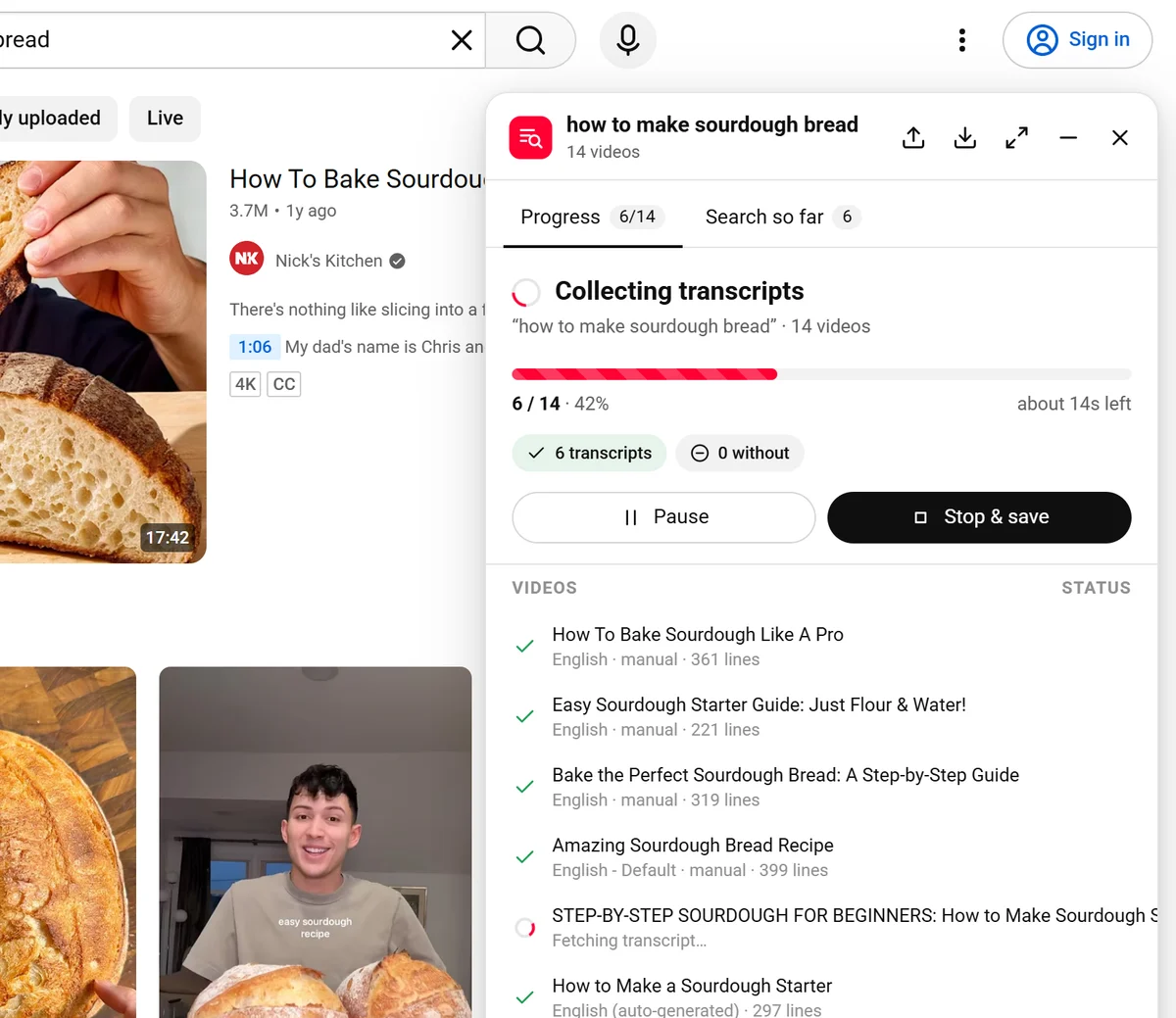
Press Run now
It collects every transcript with a progress bar. Keep browsing while it works.
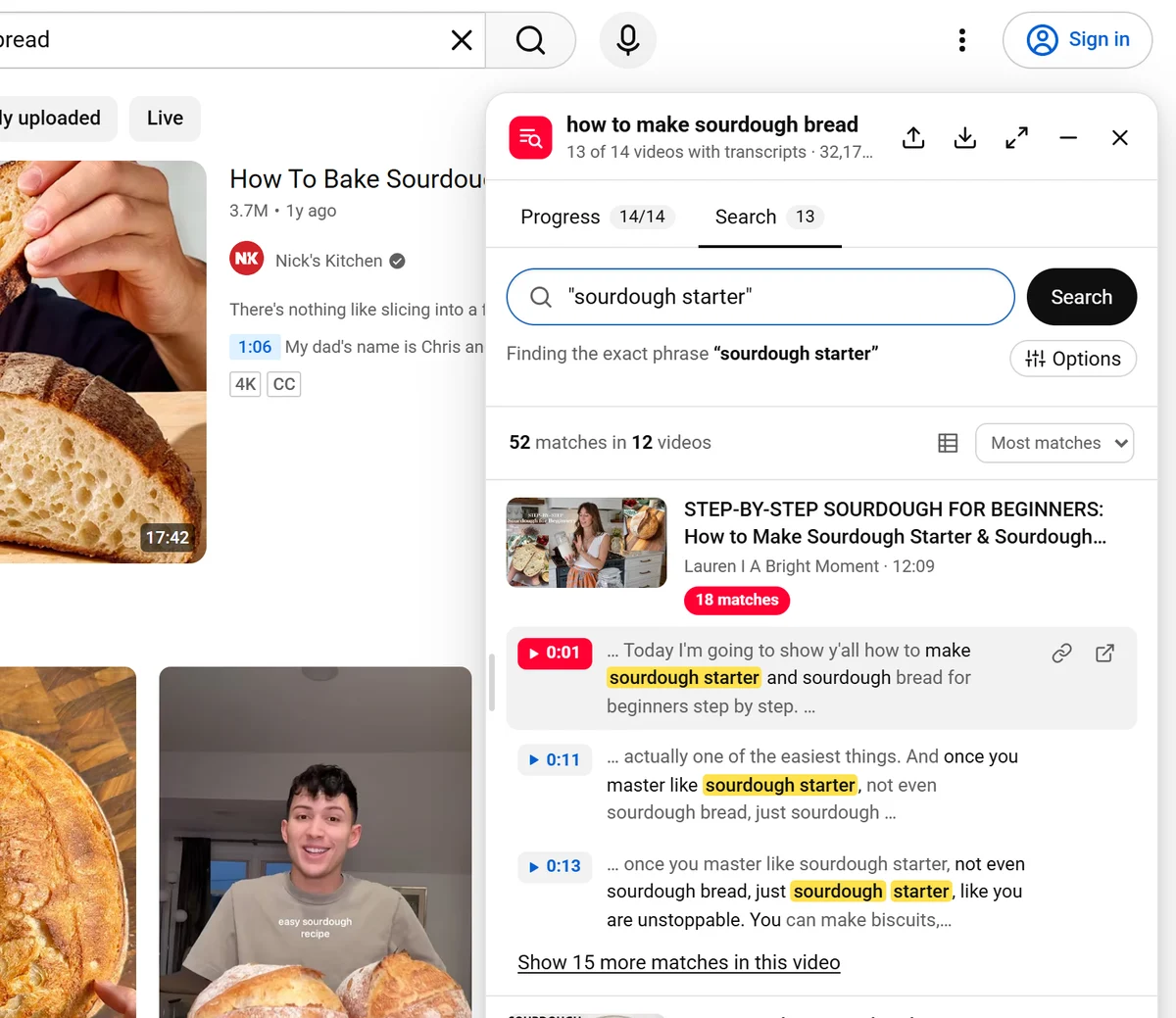
Search, then click a timestamp
Type a word or a phrase in quotes. Click any result to play that exact moment.
Everything you need, nothing you don't
Exact phrases
Put words in quotes, like "sourdough starter", to find them together and in order.
Jump to the second
Every match has a timestamp. Click it and the video plays from there.
Hundreds of videos
Not one video at a time. It collects every video on the page in one go.
Any language
English, Hindi, Urdu, Arabic, Spanish, Chinese and more. It uses the language that was spoken.
Save and search later
Each run saves a file you can reopen any time. Export matches to Excel or Google Sheets.
Private and free
No account. Your transcripts and searches stay on your computer.
Works in the language that was spoken
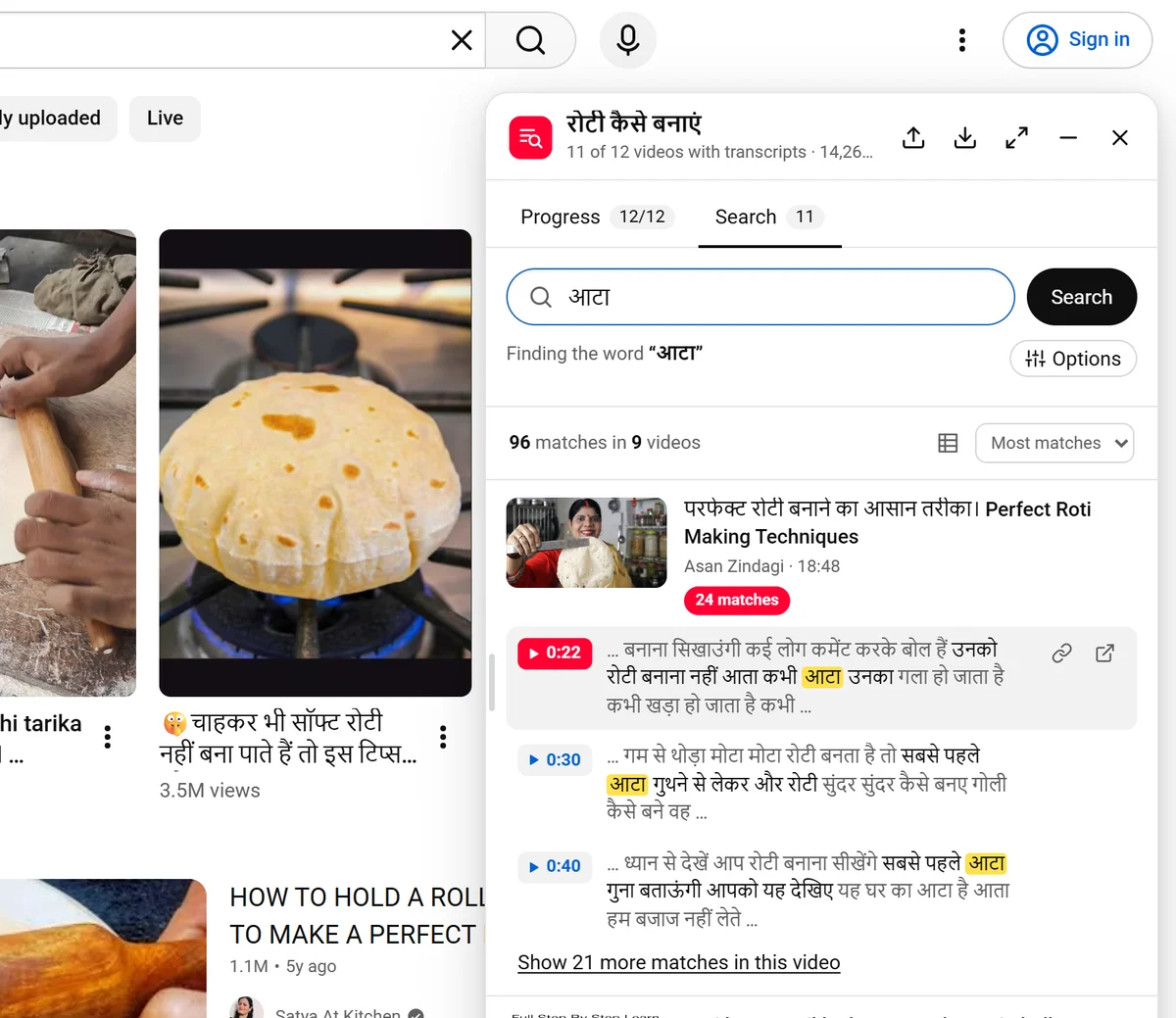
Searching Hindi cooking videos for आटा (flour) finds 96 moments across 9 videos. Type in the language of the video and it finds every word, with its timestamp.
Made for people who search video
Find every lecture or talk where a topic comes up.
Check who said what, and link straight to the moment.
Find clips without watching hours of footage.
Hear how real people say a phrase.
See it in one minute
Questions
Is it really free?
Yes. No account, no limits, no ads. It's kept alive by people who choose to support it.
How do exact phrases work?
Put words in quotes: "how are you" finds those words together, in that order. Without quotes, how you finds places where both words are said close together.
Why do some videos say "No transcript"?
Some videos have no captions at all, like music-only Shorts. There's nothing to search in those, so they're skipped.
How many videos can it handle?
Hundreds. If YouTube asks it to slow down, it waits on its own. Your progress is always saved.
Can I search the same videos later?
Yes. Every run saves a file and stays in the extension's recent list, so you can search it again without waiting.
What data do you collect?
Only anonymous counts, like "a search was made". Never your search words or the videos you watch, and you can turn it off. See the privacy policy.
Find any moment in any video
Free for Chrome. Ready in seconds.
Add to Chrome, it's free
Like it? Support it on Patreon